 EVERY PC
ONE DASHBOARD
System management software for every office computer.
System management software for complete IT control: monitor, update, install software and support every Windows PC, Mac and Linux machine from one dashboard in your browser.
- 01Install the agent
- 02See every computer
- 03Fix from anywhere
More computers: Standard $1.99 per computer / month — compare plans
- Windows · macOS · Linux
- No server or VPN
- Set up in minutes
Problems found and fixed — before anyone calls you.
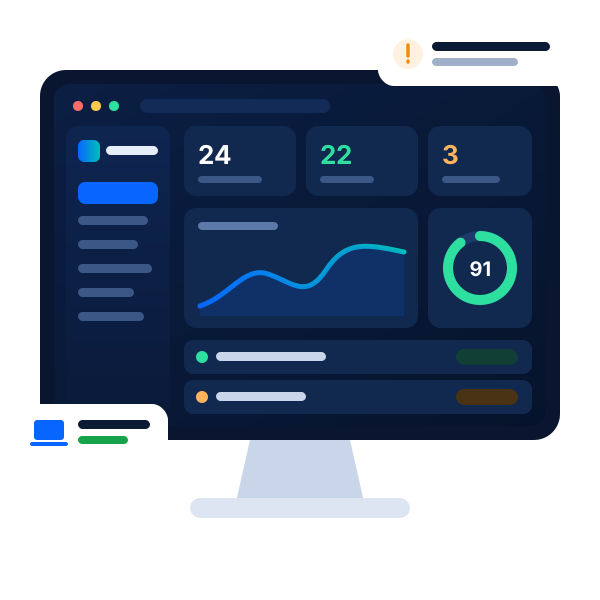
Computers check in, a failing disk raises an alert, a stuck printer is fixed automatically and updates go out after hours.
 Asset Tracker · ComputersIllustration
- Check in
- Alert
- Fixed
- ACCOUNTS-PCWindows 11 · AccountsHealthy
- RECEPTION-01Windows 10 · Front deskHealthy
- DESIGN-MACmacOS · DesignHealthy
- STORE-LINUXUbuntu · WarehouseHealthy
Waiting for computers to check in…
Every computer checks in every few minutes.
By email and WhatsApp, the moment they happen.
One score for disks, security and updates.
Illustration with example computers — it does not read your network.
One console. Every computer, everywhere.
The agent reports over a normal internet connection, so computers in the office, at home or on the road all stay on your dashboard.
- Windows 10 & 11 and Windows Server
- macOS and Linux (Ubuntu, Debian, Fedora and similar)
- Laptops, desktops and virtual machines
- Printers, cameras and network devices found by a network scan
- No server to install and no VPN
Everything IT needs, in one place.
Monitoring, updates, software, inventory and remote support — one sign-in instead of separate tools for each job. Tap a feature, or just watch.
Every Windows PC, Mac and Linux machine in one list, grouped by department, with the rules every computer must follow.
Security, control and records — built in.
- Disk healthSMART warnings before a disk fails.
- Security scoreAntivirus, firewall, encryption and updates in one score.
- USB controlBlock pen drives, or log every one plugged in.
- Block file typesStop .exe, .bat, scripts and PowerShell for everyone.
- Installs controlStop staff running installers; approve apps you trust.
- BackupsDaily backups to another drive or a network share.
- PrintersPages printed per person and per printer.
- Network scanFind printers, cameras and devices on the office network.
- Warranty & licencesKnow what expires before it does.
- Event log archive180 days of Windows logs kept for audits.
- Staff help buttonStaff ask for help from the CareMyPC icon.
- Monthly reportA one-page IT health report to share.
Install. Watch. Fix from anywhere.
- 1
Install the agent
Run the Windows installer, or one Terminal line on Mac and Linux. The CareMyPC icon shows staff it is there.
- 2
Computers appear
Hardware, disks, apps and security settings show up within minutes.
- 3
Watched all day
Failing disks, offline PCs, missing updates and new software raise an alert.
- 4
Fix and report
Act from your browser, let rules apply themselves and share a monthly report.
Tip: start with the free plan on two or three computers, then add the rest of the office when you are happy.
Choose the option that’s right for you
Asset Tracker- ✓ Price per computer
- ✓ Free for 3 computers
- ✓ Cancel anytime
🔒 Secure checkout · your plan starts as soon as payment is confirmed · more than 100 computers? Talk to us · Refund policy
See your whole office in one screen.
Start free on up to 3 computers. Most offices have their first computer on the dashboard within ten minutes.
Real reviews. Real trust.
What customers say after we fix their PC or they use our software.
Be one of our first reviewers
Used CareMyPC software or had a technician help you? Tell others how it went — honest feedback helps us get better.
Asset Tracker questions
What is system management software?
One place to see and look after every computer your organisation owns: what you have, what is installed, what needs updating and what is about to fail, with the tools to fix it remotely.
Which computers are supported?
Windows 10 and 11, Windows Server, macOS and the common Linux distributions (Ubuntu, Debian, Fedora and similar), including virtual machines.
Do I need a server or a VPN?
No. The dashboard runs in your browser and the agent connects out over the internet, so computers in the office, at home or on the road all report.
Is it really free?
Yes. Up to 3 computers are free for ever, with no card needed. For more computers choose Standard or Managed and pay per computer, monthly or yearly.
What is the difference between Standard and Managed?
Standard gives you every tool to run your own office IT. Managed adds CareMyPC technicians who watch your dashboard, act on alerts and fix problems remotely for you.
Can I see a computer's screen?
Yes, through AnyDesk: computers that have it show a one-click Remote assist button. Other actions, such as restart or fix network, work without it.
Does it spy on staff?
No. The agent never reads files, records keystrokes or captures the screen. It reports hardware, apps and security settings, and the CareMyPC icon shows it is there.
Is it suitable for IT shops?
Yes. Partner access lets you look after many client offices from one login, while each client keeps its own dashboard.
No IT person? Our technicians can look after it.
With the Managed plan, CareMyPC technicians watch your dashboard, act on alerts and fix problems remotely.

 100%